
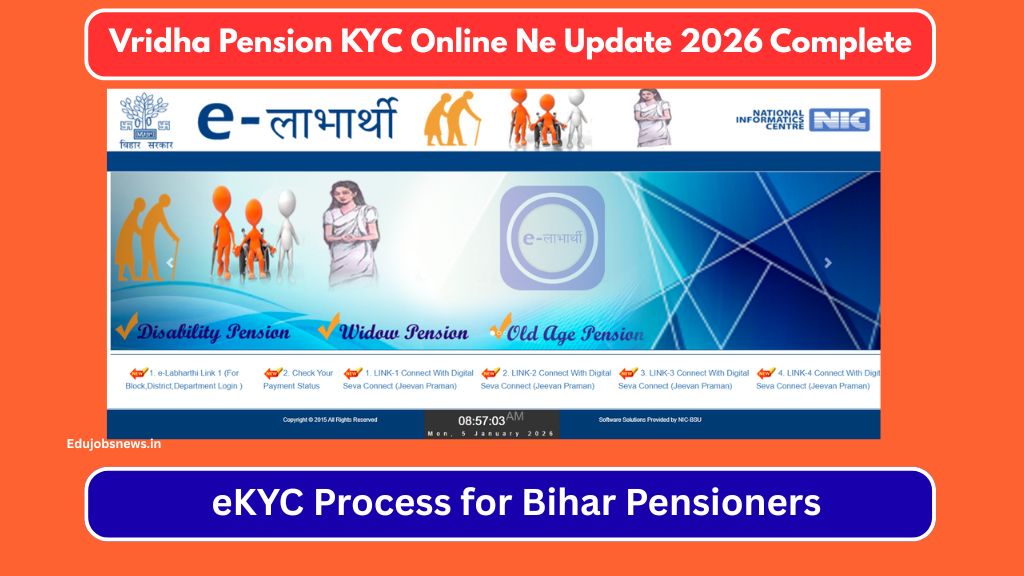
The Bihar Social Welfare Department mandates annual eKYC verification for all beneficiaries receiving social security pensions through the eLabharthi portal. This mandatory process ensures continued pension payments for elderly citizens enrolled under Mukhyamantri Vridhjan Pension Yojana and other welfare schemes. Failing to complete Vridha Pension KYC Online results in automatic payment suspension until verification gets done. This guide covers the complete eKYC process, required documents, verification methods, and step-by-step instructions for Bihar pensioners.
- 1 Bihar Vridha Pension eKYC 2026 Overview
- 2 Why Annual eKYC Verification Matters
- 3 Who Must Complete Vridha Pension eKYC
- 4 How to Check Your Current KYC Status
- 5 Complete eKYC Process Through CSC Center
- 6 Jeevan Pramaan Digital Life Certificate Option
- 7 Important Tips for Smooth Verification
- 8 Block and District Office Assistance
- 9 Pension Payment Schedule After KYC
- 10 Official Portal Information
- 11 Frequently Asked Questions
Bihar Vridha Pension eKYC 2026 Overview
| Particulars | Details |
|---|---|
| Scheme Name | Mukhyamantri Vridhjan Pension Yojana |
| Implementing Department | Social Welfare Department, Bihar |
| KYC Requirement | Mandatory Annual Verification |
| Verification Type | Biometric Authentication |
| Applicable Beneficiaries | Old Age, Widow, Disability Pensioners |
| Monthly Pension Amount | ₹400 (60-79 years) / ₹500 (80+ years) |
| Verification Mode | CSC Center / Biometric Device |
| Official Portal | https://elabharthi.bihar.gov.in/ |
Why Annual eKYC Verification Matters
The Bihar government introduced compulsory yearly verification to eliminate ghost beneficiaries from pension rolls and confirm that enrolled pensioners remain alive and eligible for continued payments.
- Payment Continuation Your monthly pension amount gets credited only after successful eKYC completion. Missed verification leads to immediate payment stoppage until you complete the process.
- Database Accuracy Biometric authentication confirms your identity against Aadhaar records, ensuring pension reaches the rightful beneficiary without diversion or fraud.
- Scheme Integrity Regular verification helps the government maintain accurate beneficiary counts and allocate budget resources efficiently across districts.
Who Must Complete Vridha Pension eKYC
All pensioners receiving benefits under these Bihar social security schemes need annual verification:
- Mukhyamantri Vridhjan Pension Yojana beneficiaries aged 60 years and above
- Laxmibai Social Security Pension recipients (widows aged 18+)
- Disability Pension Scheme beneficiaries with certified disabilities
- Indira Gandhi National Pension beneficiaries under central schemes
Both loanee pensioners with bank-linked accounts and non-loanee pensioners must undergo this verification regardless of payment mode.
Documents Required for eKYC
Keep these documents ready before visiting the verification center:
- Aadhaar Card (original for biometric matching)
- Beneficiary ID Number from eLabharthi
- Bank Passbook showing pension credits
- Mobile number linked with Aadhaar
- Previous year KYC receipt (if available)
Your Aadhaar-registered mobile number receives OTP during certain verification steps, so ensure that number remains active.
How to Check Your Current KYC Status
Before initiating fresh verification, check whether your eKYC already stands completed:
Step 1: Navigate to the official eLabharthi portal at elabharthi.bih.nic.in
Step 2: Locate the Check Your Payment Status option on homepage
Step 3: Select your search criteria from Beneficiary Number, Account Number, or Aadhaar Number
Step 4: Enter the relevant number and click Search button

Step 5: View your complete profile showing KYC status, last verification date, and payment history
The system displays “KYC Completed” with date if verification stands done, or “KYC Pending” if action remains required.
Complete eKYC Process Through CSC Center
Common Service Centers across Bihar villages offer assisted eKYC services for pensioners. The CSC operator uses biometric devices connected to the eLabharthi system for authentication.
Step 1: Visit Nearest CSC Center Locate your village or block-level CSC center. Carry original Aadhaar card and beneficiary details. No appointment needed for this service.
Step 2: Operator Login The CSC operator logs into eLabharthi portal using their Digital Seva Connect credentials. This authorized access enables biometric verification processing.
Step 3: Beneficiary Search Operator enters your Aadhaar number, beneficiary number, or bank account number to fetch your pension records from the database.
Step 4: Details Verification Your profile displays showing name, date of birth, mobile number, pension scheme, and payment history. Confirm all information appears correct before proceeding.
Step 5: Consent Declaration Click Yes to confirm displayed details match your records. Selecting No requires visiting block or district office for data correction first.
Step 6: Biometric Capture Place your finger on the biometric scanner device when prompted. The system captures fingerprint data and matches against your Aadhaar biometrics.
Step 7: Authentication Result Successful match displays confirmation message with transaction ID. Failed authentication may require retry with different finger or iris scan option.

Step 8: Receipt Collection Collect the printed or digital receipt showing completed eKYC status with date and transaction reference for your records.
Jeevan Pramaan Digital Life Certificate Option
Pensioners can alternatively submit Jeevan Pramaan digital life certificate as proof of existence through the national platform:
- Download Jeevan Pramaan application on smartphone or computer
- Register using Aadhaar number and pension details
- Provide biometric authentication through fingerprint or iris
- Certificate generates automatically and links to pension records
- Valid for one year from generation date
This option works for pensioners comfortable with technology or those having family members who can assist with the digital process.
Important Tips for Smooth Verification
- Best Timing The eLabharthi portal experiences heavy traffic during daytime hours. CSC operators report better success rates during evening hours when server load reduces significantly.
- Fingerprint Quality Dry or worn fingerprints sometimes fail biometric matching. Apply light moisturizer and clean fingers before attempting scanner authentication.
- Multiple Attempts System allows trying different fingers if initial capture fails. Index finger and thumb typically provide clearest prints for elderly users.
- Data Mismatch Resolution Name spelling differences between Aadhaar and pension records cause rejection. Visit block office with supporting documents to correct any discrepancies before attempting eKYC.
Block and District Office Assistance
Pensioners facing repeated technical failures or data issues can approach:
- Block Development Office for initial troubleshooting and minor corrections
- District Social Welfare Office for major data changes requiring approval
- RTPS Counter for grievance registration if KYC problems persist
Carry all original documents plus photocopies when visiting these offices for faster resolution.
Pension Payment Schedule After KYC
| Verification Status | Payment Impact |
|---|---|
| KYC Completed | Normal monthly credit continues |
| KYC Pending | Payment held until completion |
| KYC Failed | Retry required, payment suspended |
| Data Mismatch | Correction needed before verification |
Payments typically process within the same month once successful eKYC reflects in your beneficiary record.
Official Portal Information
| Resource | Link |
|---|---|
| eLabharthi Bihar Portal | https://elabharthi.bih.nic.in |
| Jeevan Pramaan Portal | https://jeevanpramaan.gov.in |
Frequently Asked Questions
Is Vridha Pension KYC mandatory every year?
Yes, the Bihar government requires annual eKYC verification for all social security pension beneficiaries. Missing this verification results in automatic payment suspension until completion.
Can I complete Bihar pension eKYC from home?
Direct home-based eKYC requires biometric devices connected to authorized systems. Most pensioners must visit CSC centers where operators have proper equipment and portal access for verification.

What happens if my fingerprint does not match during eKYC?
Try different fingers as the system permits multiple attempts. If all fingerprints fail, request iris scan authentication at centers having iris devices, or visit block office for alternative verification methods.
How long does eKYC verification take at CSC center?
The actual biometric capture takes 2-3 minutes once your turn arrives. Total waiting time depends on center crowd and server response speed during that period.
My name differs in Aadhaar and pension records. What should I do?
Visit your block development office with original Aadhaar, pension documents, and supporting ID proofs. Submit correction request and wait for approval before attempting eKYC again.
Where can I check if my pension eKYC is successful?
Visit elabharthi.bih.nic.in, use the payment status check feature, enter your beneficiary or Aadhaar number, and view your profile showing current KYC status with completion date.

Hello! I am Prayan Malhotra, the Founder and Author of EduJobsNews.in. This platform was created with a single aim — to provide accurate, timely, and easy-to-understand updates on job opportunities across India. I am directly involved in researching, writing, and reviewing content to ensure it remains clear, relevant, and trustworthy for readers.