
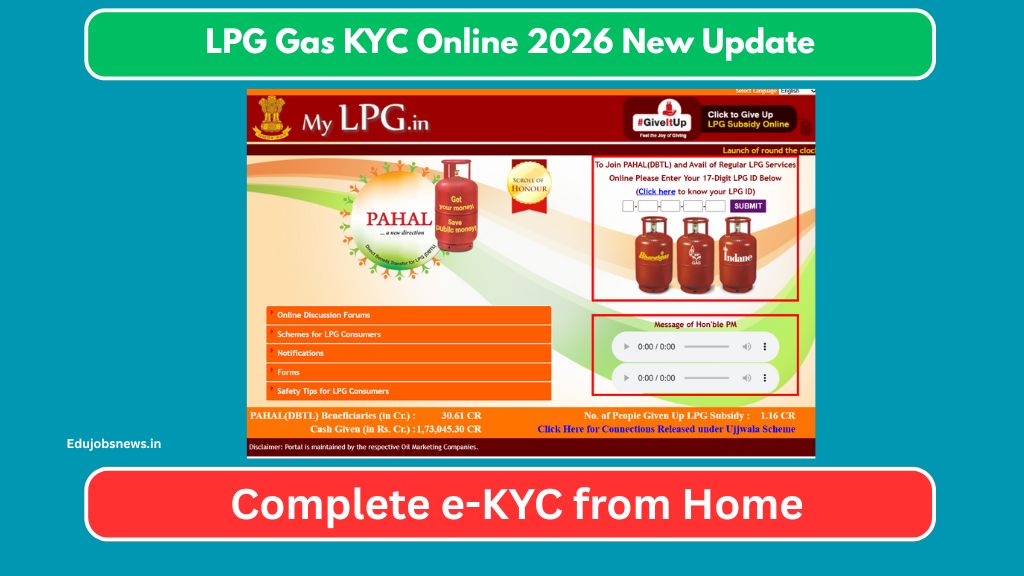
The government has made it easier for consumers to complete their e-KYC verification directly from their homes without visiting any office. This process helps oil marketing companies verify consumer details and ensures smooth subsidy transfers. In this article, you will learn everything about the LPG Gas KYC online process, required documents, step-by-step guide, and important links. Keep reading to complete your verification hassle-free.
- 1 LPG Gas e-KYC Overview
- 2 Why LPG Gas e-KYC is Necessary
- 3 Documents Required for LPG e-KYC
- 4 Eligibility for LPG Gas e-KYC
- 5 Step-by-Step Guide to Complete LPG e-KYC Online
- 6 Alternative Methods for LPG KYC Verification
- 7 Common Issues During e-KYC and Solutions
- 8 Benefits of Completing LPG Gas e-KYC
- 9 Important Links
- 10 LPG Gas Company Helpline Numbers
- 11 FAQs
LPG Gas e-KYC Overview
| Details | Information |
|---|---|
| Process Name | LPG Gas e-KYC Verification |
| Applicable For | All LPG Gas Consumers in India |
| Mode of KYC | Online and Offline |
| Documents Required | Aadhaar Card, Bank Account, Mobile Number |
| Gas Companies Covered | Indane (IOCL), Bharat Gas (BPCL), HP Gas (HPCL) |
| KYC Fee | Free of Cost |
| Official Portal | mylpg.in |
| Purpose | Subsidy Transfer and Identity Verification |
Why LPG Gas e-KYC is Necessary
The e-KYC verification for LPG gas connections serves multiple purposes. It helps the government maintain accurate consumer records and ensures that subsidies reach genuine beneficiaries only.
Without proper KYC completion, you may face issues like delayed subsidy credits or problems during cylinder booking. The entire process links your Aadhaar card with your gas connection and bank account.
This verification also helps eliminate duplicate connections and fake registrations from the system. Once completed, your gas connection details remain updated in the central database.
Documents Required for LPG e-KYC
Before starting the online KYC process, make sure you have these documents ready:
- Aadhaar Card linked with active mobile number
- Bank Account Details for subsidy transfer
- LPG Consumer Number (printed on cylinder or gas book)
- Registered Mobile Number
- Recent photograph (if required)
Your Aadhaar card must be linked with your mobile number to receive OTP verification during the process. Without mobile-linked Aadhaar, you cannot complete online e-KYC.
Eligibility for LPG Gas e-KYC
Any person holding a valid domestic LPG gas connection can complete the e-KYC process. Here are the basic eligibility points:
The consumer must be the primary holder of the gas connection. Your name should match exactly with Aadhaar records.
Bank account details provided must belong to the connection holder. Joint account holders can also link their accounts if their name appears first.
Consumers from all three major oil companies including Indane Gas, Bharat Gas, and HP Gas can complete this verification through their respective portals.
Step-by-Step Guide to Complete LPG e-KYC Online
Follow these simple steps to complete your LPG Gas KYC online verification from home:

Step 1: Open your mobile or computer browser and visit the official website mylpg.in
Step 2: Click on the e-KYC option available on the homepage
Step 3: Select your gas distributor company from the dropdown menu
Step 4: Enter your 17-digit LPG Consumer Number correctly
Step 5: Provide your Aadhaar number linked with mobile for OTP verification
Step 6: Click on Generate OTP button and wait for the message
Step 7: Enter the 6-digit OTP received on your registered mobile
Step 8: Verify your personal details displayed on screen
Step 9: Update bank account details if required for subsidy
Step 10: Submit the form and save the acknowledgment receipt

The entire process takes approximately five to ten minutes if all documents are ready. Make sure you save or print the confirmation for future reference.
Alternative Methods for LPG KYC Verification
If online verification is not possible, consumers can complete KYC through these alternative methods:
- Distributor Office Visit: Carry original Aadhaar and bank passbook to your nearest gas distributor office. Staff members will complete verification on the spot.
- IVRS Calling: Some companies offer telephonic KYC verification through their toll-free numbers. Call the customer care number and follow voice instructions.
- SMS Service: Send SMS from your registered mobile with consumer number to the company shortcode for basic verification.
Common Issues During e-KYC and Solutions
Many consumers face certain problems during online KYC. Here are quick solutions:
OTP Not Received: Check if your mobile number is linked with Aadhaar. Visit nearest Aadhaar center for mobile update if needed.
Name Mismatch Error: Your name in gas records must match Aadhaar exactly. Visit distributor office to correct name spellings.
Bank Account Rejection: Ensure bank account is active and belongs to primary connection holder only.
Website Not Loading: Clear browser cache or try accessing during non-peak hours. Mobile app can also be used as alternative.
Benefits of Completing LPG Gas e-KYC
Completing your KYC verification brings several advantages:
- Subsidy amount gets credited directly to your bank account without delay. Your gas connection remains active without interruption.
- You can easily book cylinders through online platforms and apps. All services remain accessible through digital modes.
- Future changes in address or bank details become easier to update. Your consumer profile stays verified and trusted in the system.
Important Links
| Description | Link |
|---|---|
| Official LPG Portal | https://mylpg.in |
| Indane Gas Website | https://indane.co.in |
| Bharat Gas Portal | https://bharatgas.in |
| HP Gas Website | https://hindustanpetroleum.com |
LPG Gas Company Helpline Numbers
| Gas Company | Toll-Free Number |
|---|---|
| Indane Gas (IOCL) | 1800-233-3555 |
| Bharat Gas (BPCL) | 1800-22-4344 |
| HP Gas (HPCL) | 1800-233-3555 |
These helpline numbers operate during business hours. Consumers can call for any query related to e-KYC or other gas connection issues.
FAQs
What is LPG Gas e-KYC process?

LPG Gas e-KYC is an electronic verification process that links your Aadhaar card, bank account, and mobile number with your gas connection for proper identification and subsidy transfer.
Is there any charge for completing LPG e-KYC?
No, the entire e-KYC process is completely free of cost. You do not need to pay anything at distributor office or online portal.
Can I complete e-KYC without visiting the distributor office?
Yes, you can complete the full e-KYC verification from home through the official mylpg.in portal using your mobile or computer.
What happens if my Aadhaar is not linked with mobile number?
You must first link your mobile number with Aadhaar at the nearest enrollment center. Without mobile-linked Aadhaar, online OTP verification is not possible.
How long does the online e-KYC process take?
The complete process takes about five to ten minutes if you have all required documents ready. Approval is usually instant after successful submission.
Which gas companies accept online e-KYC?
All three major companies including Indane Gas, Bharat Gas, and HP Gas accept online e-KYC through their respective portals and the common mylpg.in website.

Hello! I am Prayan Malhotra, the Founder and Author of EduJobsNews.in. This platform was created with a single aim — to provide accurate, timely, and easy-to-understand updates on job opportunities across India. I am directly involved in researching, writing, and reviewing content to ensure it remains clear, relevant, and trustworthy for readers.